
Best Minecraft Shaders 1.21 – Pick by Look and by PC
Best Minecraft shaders 1.21 sorted by the look you want and the PC you own – vanilla-like, fantasy, realistic and potato-friendly packs explained.
Shaders are the fastest way to make a world you have played for years look new again. The hard part is choosing, because the page of options is long and most thumbnails look gorgeous. This guide sorts the 1.21-compatible shaders in our catalogue by the thing that actually decides whether you will keep one installed: the look you want, and the PC you have.
Every shader below lists 1.21 in its supported range. Remember that you need a shader loader. For most players that means Iris together with Sodium; our shader installation guide has the steps. If frame rate is a worry, read shaders for low-end PCs too.
Decide what you want to see
Shaders tend to fall into three moods.
- Same game, better light. Soft shadows, nicer water and sky, blocks left alone.
- A painted or fantasy world. Strong colours, glowing atmosphere, a different feel.
- Closer to realism. Heavier effects such as reflections and rich lighting.
Pick the mood first, then the performance tier.
Vanilla-like but nicer
Complementary Shaders – Reimagined
Reimagined is described by its authors as preserving the elements of Minecraft with quality, detail and performance. It lists coloured lighting among its features and offers a lot of options. It is a good first shader if you do not know what you want.
Super Duper Vanilla
Super Duper Vanilla is tagged low-cost and vanilla-like, and aims at the look of a cancelled graphics pack. Note that its supported range in our data ends at 1.21.8, so it is not an option for the very newest versions.
Vanilla Plus Shader
Vanilla Plus gives Minecraft a modern overhaul while staying faithful to the original look and is tagged as low-demand.
Fantasy and atmosphere
Solas
Solas is a stylised fantasy pack with coloured lighting. It will suit you if you want screenshots that look like concept art.
Bliss
Bliss is described as a well-performing fantasy shader with an emphasis on scene variation and customisation. It sits in the medium performance bracket in our data.

Mellow
Mellow has a painterly aesthetic and is made for people who want to actually play the game. Its tags include potato, so it is an unusual combination of style and low demand.
Semi-realistic and realistic
Photon
Photon is a gameplay-focused semi-realistic pack with coloured lighting. A good choice if you want depth without turning the game into a slideshow.

Noble
Noble is tagged realistic and PBR. It promises clean and immersive visuals through lighting techniques and heavy customisation. Pair it with a resource pack that supports PBR if you want the full effect.

BSL
BSL is bright, colourful and distinct. It is one of the best-known names in the shader scene, and the Classic version is also in the catalogue.

Low-end PC options
If your PC struggles, start here.
MakeUp – Ultra Fast
MakeUp is designed around a quality-to-performance ratio that adapts to your resources and carries the potato tag.
Miniature Shader
Miniature Shader is described as extremely lightweight with shadows and reflections.
The automatic list below shows what currently ranks first in the potato category:
 Complementary Shaders - Reimagined73.9M downloads · 26.3
 Complementary Shaders - Unbound48.2M downloads · 26.3
 MakeUp - Ultra Fast14.5M downloads · 26.3
 Mellow8.3M downloads · 26.3
 Miniature Shader5.3M downloads · 26.3
How to test a shader without wasting an evening
Picking by description is only half the job; you also have to see it on your own screen. A routine that saves time:
- Make a throwaway world, or use a copy of your real one, and stand somewhere with water, trees and a view of the sky.
- Open the video settings, go to the shader list and select a pack. Wait for it to compile; the first load can take a moment.
- Look at three things – a sunrise or sunset, the inside of a cave with a torch, and a lake. These expose most differences between packs.
- Check the frame rate with the debug screen (F3). If it feels worse than you can accept, open the shader's own settings and lower shadow quality first, because shadows are usually the costliest feature.
- Keep only the two you liked best, and delete the rest so the list stays readable.
Most shader authors also publish a recommended settings preset on their page, so read it before you decide a pack is too heavy. Be careful with packs whose supported range stops before your version; those can load but show broken effects.
Resource packs and shaders together
Some shaders are designed to work with specific resource packs, especially the PBR and realistic ones. If you like a certain look, browse the resource pack list as well. Keep the number of active packs small, because stacking many heavy effects is the most common reason a good PC still stutters.
Our short recommendation
- No idea where to start: Complementary Reimagined.
- Want fantasy colour: Solas or Bliss.
- Weak laptop: MakeUp or Miniature Shader.
- Want realism: Photon or Noble, on a PC that can handle it.
Whatever you pick, install a performance mod first. Our FPS mods guide shows which. Browse the rest of the shader list and try two or three; they only take a minute to switch between.
FAQ
What is the best shader for Minecraft 1.21?
There is no single best, but Complementary Reimagined is a strong all-rounder if you want vanilla-style blocks with better lighting and a wide range of settings. Choose a fantasy or realistic pack instead if you want a stronger change of mood.
Do I need Iris to use shaders on 1.21?
In practice yes, for most players. Install Iris next to Sodium, drop the shader zip in the shaderpacks folder and pick it in the video settings. Every shader below lists Iris as supported.
Which 1.21 shaders run on a weak PC?
MakeUp – Ultra Fast, Mellow and Miniature Shader are tagged for very low-end hardware in our data. Start with one of them and raise quality only if the frame rate holds.
Why does a shader look different from the screenshots?
Screenshots are often taken with a resource pack, high render distance and tuned settings. Check what the author recommends on the shader page and compare like for like.
💬 Comments
🧩 Featured in this article

Iris Shaders
by coderbot
A modern shader pack loader for Minecraft intended to be compatible with existing OptiFine shader packs

Sodium
by jellysquid3
A high-performance rendering engine replacement for Minecraft, which greatly improves frame rates and reduces micro-stutter.
Complementary Shaders - Reimagined
by EminGT
Preserving the elements of Minecraft with exceptional quality, detail, and performance.

Super Duper Vanilla
by Eldeston
A shader pack created to convey the style of the cancelled Super Duper Graphics Pack and other popular Minecraft titles.

Vanilla Plus Shader
by RRe36
A shaderpack that gives Minecraft a modern visual overhaul while staying faithful to its original look.

Solas Shader
by Septonious
A modern fantasy stylized shaderpack with colored lighting and stunning visuals
📚 Related articles
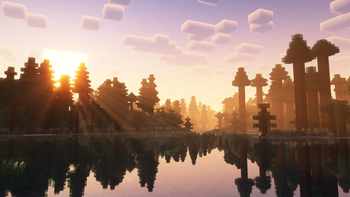 Best Minecraft Shaders for Every PC, Including Low-EndThe best Minecraft shaders sorted by PC power, from potato laptops to high-end GPUs, plus tips to keep shaders smooth on low-end hardware.
· 5 min read
 How to Install Shaders in Minecraft (Iris & OptiFine Guide)How to install shaders in Minecraft with Iris + Sodium or OptiFine, step by step, plus fixes for black screens, low FPS and missing shader packs.
· 5 min read
 Best Minecraft Mods 1.20.1 – Loader-by-Loader Picks for TodayBest Minecraft mods 1.20.1 split by loader – Fabric, Forge and NeoForge – with performance, library and quality-of-life picks and honest caveats.
· 4 min read
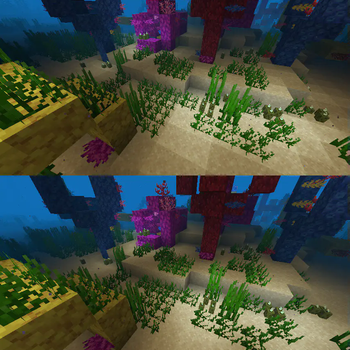 Best Minecraft Mods 1.21.1 – 15 Picks That Are Worth InstallingBest Minecraft mods 1.21.1 players actually keep installed – performance, map, info HUD, voice chat and more, with notes on who each one suits.
· 4 min read